Recho Live is one of the livestream platforms that has improved throughout the time in many ways, including the qualities of every livestream host. Many people have contributed to expanding our community to various countries around the world. Therefore, as the community continues to expand, we’d be focusing more on strengthening the platform’s brand perception by adhering to the Recho host rules to maintain the long-term community growth.
Recho Livestream Host Requirements
Considering that the platform needs to keep improving the livestream content, we need to carefully filter every livestream performance by adjusting some standards. To guarantee that every content serves the best qualities and performance, there are several requirements for a livestream host that need to be followed to remain eligible, such as:
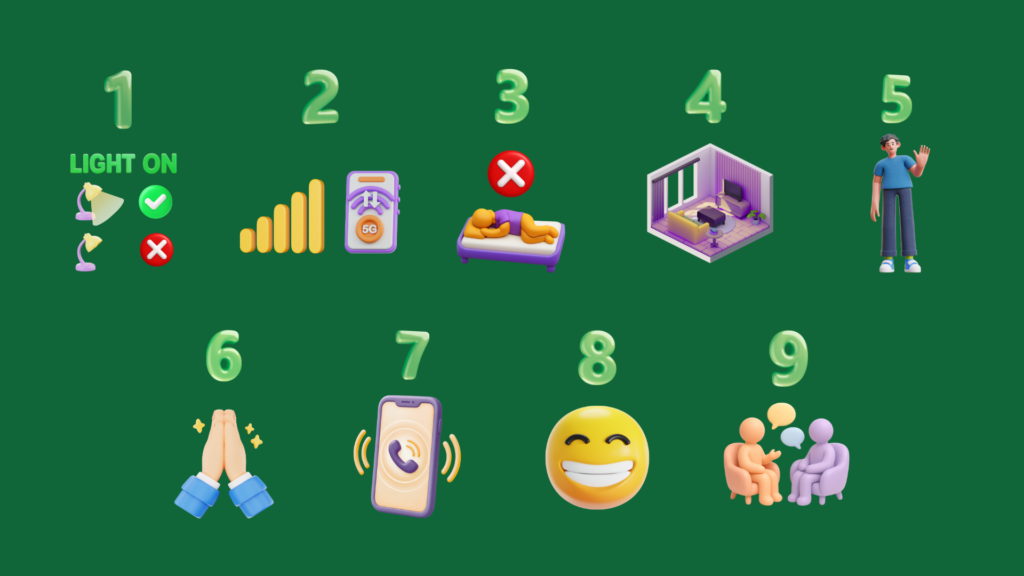
- Use proper lighting during livestreams
To avoid vagueness and ambiguity about the host identity, set a proper light to make sure the face of the livestreamer can be seen clearly without being too bright or too dark. Create an environment where you can do a livestream comfortably. - Stable internet connection
Check your internet connection before going on live. Hosts should have a stable internet connection with at least 10 Mbps upload speed to ensure a smooth and uninterrupted livestream. - Avoid lying down while doing live
Choose the most comfortable position to do your livestream content, but avoid lying down. The moment when the livestream starts, you need to adjust your position so you can have a proper conversation with the viewers. - Set a clear and appropriate environment
The place where you start your livestream is one of the things you need to consider. Background is the most important thing when you’re doing a livestream.Make sure it is clean and tidy so the viewers do not get easily distracted. Also, to ensure the audio quality, you need an undisturbed environment so that the viewers can hear your voice clearly. - Welcome users with greetings
Greetings is one way to show your appreciation to the viewers for stepping by into your room. It is a simple gesture that some people usually forget but means a lot.When someone enters the room, it can take less than one minute for them to choose whether they want to stay longer or not. Your greetings could increase the potential loyal viewers if done appropriately. - Saying thanks for every gift you received
Being thankful for the gift you received doesn’t necessarily mean you already showed your gratefulness. Your expression also plays a part in showing your appreciation towards the viewers. - Respond to incoming calls when required
Pay attention to your notification daily. Answering an incoming call might give your personal image an advantage. On the other side, if you keep on denying calls without a clear reason, it can affect your account. - Keep your face visible to the viewers
Talking to your audience requires a certain kind of gesture that shows them you are actually paying attention.When it’s already hard to show those gestures when doing a direct conversation, an online conversation is way harder because you can’t see the actual person. That’s why it is important to keep your face visible to the viewers. - Maintain the interaction with the viewers
Communication on livestream can be hard, especially for a beginner. To maintain a constant interaction with the viewers, you can make a list of topics that align with your livestream theme.
Standard Recho Livestream Host Rules
- Hosts must be at least 18 years old.
To start as a host on Recho Live, you have to be at least 18 years old or above. People under 18 are prohibited from appearing on the camera even if they’re not a host. A violation may cause a penalty for your account. - One user can only have one authenticated account
Before you start doing a livestream, you need to confirm your identity by doing a verification to avoid scams or a fake person online.Each account can only do a face authentication once, and you can’t use the same identity if you created another account. Therefore, you cannot impersonate or pretend to be someone else when you’re doing a livestream. - Using someone else’s account is prohibited
Every host is responsible for managing their own account, including who shows up on their livestream. But, using someone else’s account is in violation to the platform’s rule, this is to avoid any further conflict that might affect a few aspects.As a precaution, we suggest you protect your own account by not sharing any information or code with anybody. - Using multiple accounts at the same time is prohibited
Hosts are only allowed to use one account during a livestream. Using multiple accounts simultaneously may cause confusion, interfere with livestream performance, and violate platform or company policies. - Promoting third-party platforms is prohibited
As long as you are livestreaming on the app, you must not promote, mention, or direct viewers to other brands, platforms, or applications for any reason. This includes sharing their names, links, usernames, or other information that may encourage viewers to use an external platform. - Pornographic content is prohibited
Hosts must not display, share, or engage in pornographic, sexually explicit, or inappropriate content during livestreams. This includes explicit visuals, gestures, language, or behavior that violates the platform’s content guidelines. - Livestream violation may affect your daily task rewards
Violating livestream rules may result in consequences, including a reduction or loss of your daily task rewards. Make sure to follow all livestream guidelines to maintain your eligibility for rewards.
Penalty for Violating Recho Rules and Requirements
There are consequences for avoiding every rule on Recho Live, depending on the violation, here are some of the penalty possibilities you might encounter.
- Account Suspension
Your Recho Live account may be temporarily suspended, preventing you from accessing or hosting livestreams. During the suspension, you will not be able to access your account or host livestreams. - Salary or Rewards May Be Withheld
Violations may result in the cancellation or withholding of your commissions. The consequences depend on the violation. It could reduce or cancel your salary, daily task rewards, commissions, or other applicable payments. - Removal from the platform
Serious or repeated violations may result in the permanent removal of your account from Recho Live. Once removed, you may no longer be able to access the platform or host livestreams.
Recho Host Audition Requirements
To maintain the quality standards of Recho Live, all prospective hosts must complete a livestream audition before proceeding to the next stage. The audition consists of a trial livestream that must meet the minimum required duration and other applicable standards. Make sure you fulfill all the requirements below to successfully pass the audition.
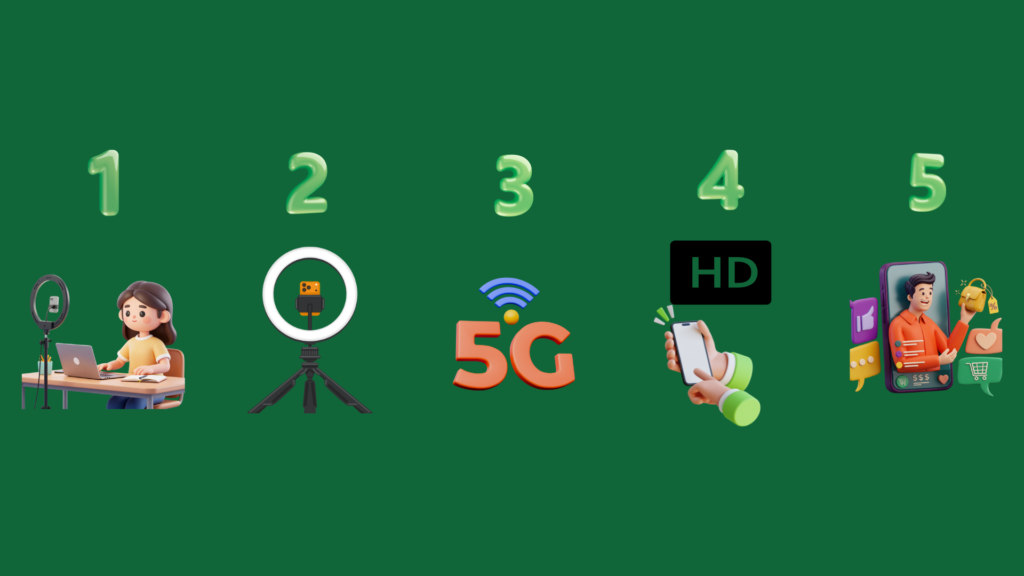
- Maintain a presentable look
Ensure that you maintain a neat, presentable, and professional appearance throughout the livestream. Wear appropriate attire, maintain good personal hygiene, and avoid anything that could distract viewers or negatively affect the quality of your livestream. - Set good lighting
Ensure that your face and surroundings are clearly visible with adequate and balanced lighting. Avoid lighting that is too dark, too bright, or harsh, as it may affect the overall visual quality of your livestream - Find a stable connection
Before starting your livestream, check that your internet connection is stable and reliable. A strong connection helps prevent lag, buffering, and unexpected interruptions during the livestream. For the best experience, we recommend an upload speed of at least 10 Mbps. - Provide the best camera quality
Use a camera that provides a clear and high-quality image throughout the livestream. Before going live, check the camera angle, focus, framing, and overall video quality to ensure that you are clearly visible to viewers. - Complete the trial live session
Complete the required trial livestream before proceeding to regular livestream sessions. Use the trial as an opportunity to demonstrate your hosting abilities, understand the livestream process, and ensure you are fully ready to interact with viewers.
How to Get Ready Before Doing a Livestream
Your appearance is an important part of creating a professional and welcoming livestream experience. Before going live, ensure that you look presentable, feel comfortable on camera, and are ready to maintain a confident and engaging presence throughout the session.
- Wear Proper Clothing
Wear clean, neat, and appropriate clothing that suits the livestream setting. Choose attire that looks presentable and professional without distracting viewers from the content. - Prepare Your Appearance
Make sure your hair, face, and overall appearance look clean and proper before starting the livestream. - Keep Your Appearance Neat Throughout the Livestream
Maintain a presentable appearance for the entire session. Avoid actions or behaviors that may make you appear unprepared or unprofessional. - Set the Camera Angle
Position your camera so that your face and upper body are clearly visible. Make sure the angle is comfortable and appropriate for the livestream. - Create a Clean Background
Keep the area visible behind you clean, tidy, and free from distracting objects. A simple and organized background helps keep the focus on you and the livestream.
Frequently Asked Question
-
What if my account was suspended without violating any rules?
If you believe the suspension was mistake, you can contact the admin on the website or click this link.
-
How can I find the best environment to do a livestream?
Choose a well-lit and quiet place for your livestream. A suitable environment can help improve your performance quality and provide a better experience for viewers.
-
Why can’t I withdraw my commission?
First, check whether your account is currently suspended. If this is not the case and you are still unable to withdraw your commission, please contact the admin through this website or by clicking on this link.
-
Can a face authentication be denied?
Yes. Face authentication may be denied for several reasons, such as insufficient lighting or an unclear image that makes your face difficult to identify. If your first attempt fails, you can complete the authentication again
-
How can I pass the host audition?
Complete the livestream for the minimum required duration and make sure you follow all Recho Live rules throughout the broadcast.
-
What happens if I violate the livestream rules?
Violating Recho Live’s rules may result in penalties depending on the type and severity of the violation. These may include account suspension, withholding or cancellation of salary and rewards, or permanent removal from the platform. Make sure you understand and follow all livestream rules to avoid penalties.
Know the Rules Before You Start Doing a Livestream
To engage with the community, a live stream host has to know the applicable rules and requirements on Recho Live. As a Recho Live host, knowing the guidelines helps you create a safe, professional, and engaging environment for the community while avoiding potential violations and penalties.
Stay prepared, follow the rules, and make every livestream a positive experience for your viewers. Read more information about Recho Live on this link.